Terminal Home
I took the ads off my Google TV and replaced its home screen with one built on this site's design system, with a dock of eight apps and a trending card that follows the app in focus. Use the arrow keys.
- published
- 2026-10-24
- status
- stable
- stack
- Java · Android TV
https://goksen.ing/lab/terminal-home
The TV
My TV is a Grundig 65 GJQ 9200 on Google TV, Android 14. Out of the box, its home screen puts sponsored rows and ads above my own apps.
CleanYourTV by Gathin fixes this over Wi-Fi. It uses the TV's own debug bridge to switch off packages, nothing uninstalled and nothing rooted, and puts its own launcher in place of the stock home. On this TV that came to 19 packages, among them the Google TV home, Google Assistant, a few Grundig companion apps, and an automatic content recognition service that watches what is on the screen. A short script turns all of them back on.
The launcher is MIT licensed, so I forked it and gave it a new home screen.
What I couldn't get
The stock home shows rows from YouTube, Apple TV and the rest. A third-party launcher can't read those: none of these apps publishes a feed to anyone but Google's own home.
So the trending card asks TMDB instead, and maps each list to one app:
- YouTube: the week's trending movies that have a trailer on YouTube. OK opens the trailer in the YouTube app.
- Nuvio: TMDB's trending movies and series of the week.
- Apple TV: the most popular series on Apple TV+ in Switzerland.
The launcher fetches all three at most every six hours and keeps them, with the backdrops, in its cache. That is its only use of the network. The titles in the piece above are the ones it got on 24 October, without the backdrops.
The panel is 4K, but the TV draws its interface at 1920 by 1080. So the layout is 960 by 540, for a D-pad and an OK button and no pointer.
The screen
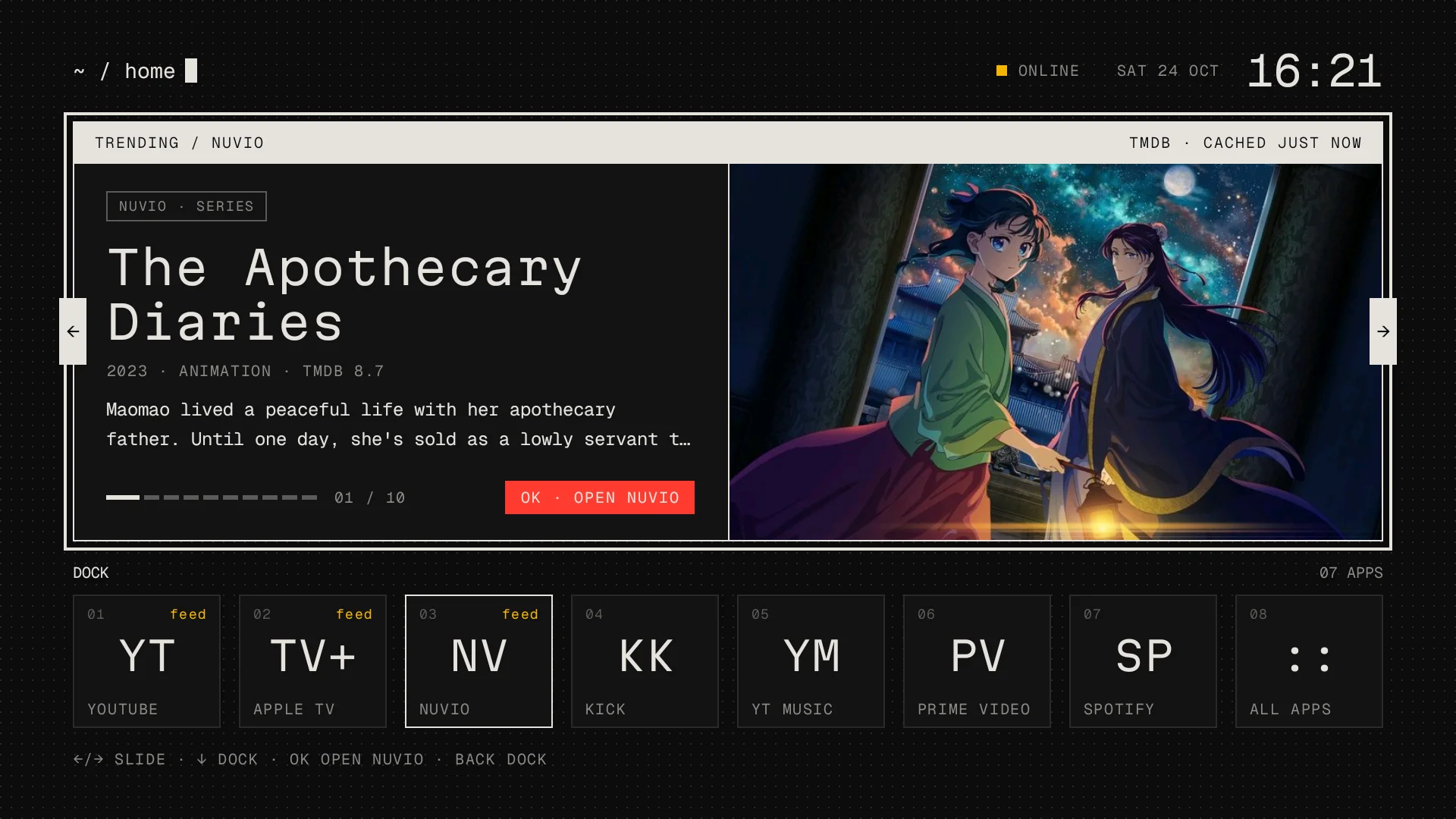
It's the design system of this site, moved to the TV: the near-black field with a faint dot grid, bone text, Geist Mono for everything and Martian Mono for titles, square corners, no shadows, no gradients. The one red is the "OK · open" button on the trending card, and it only shows while the card has focus.
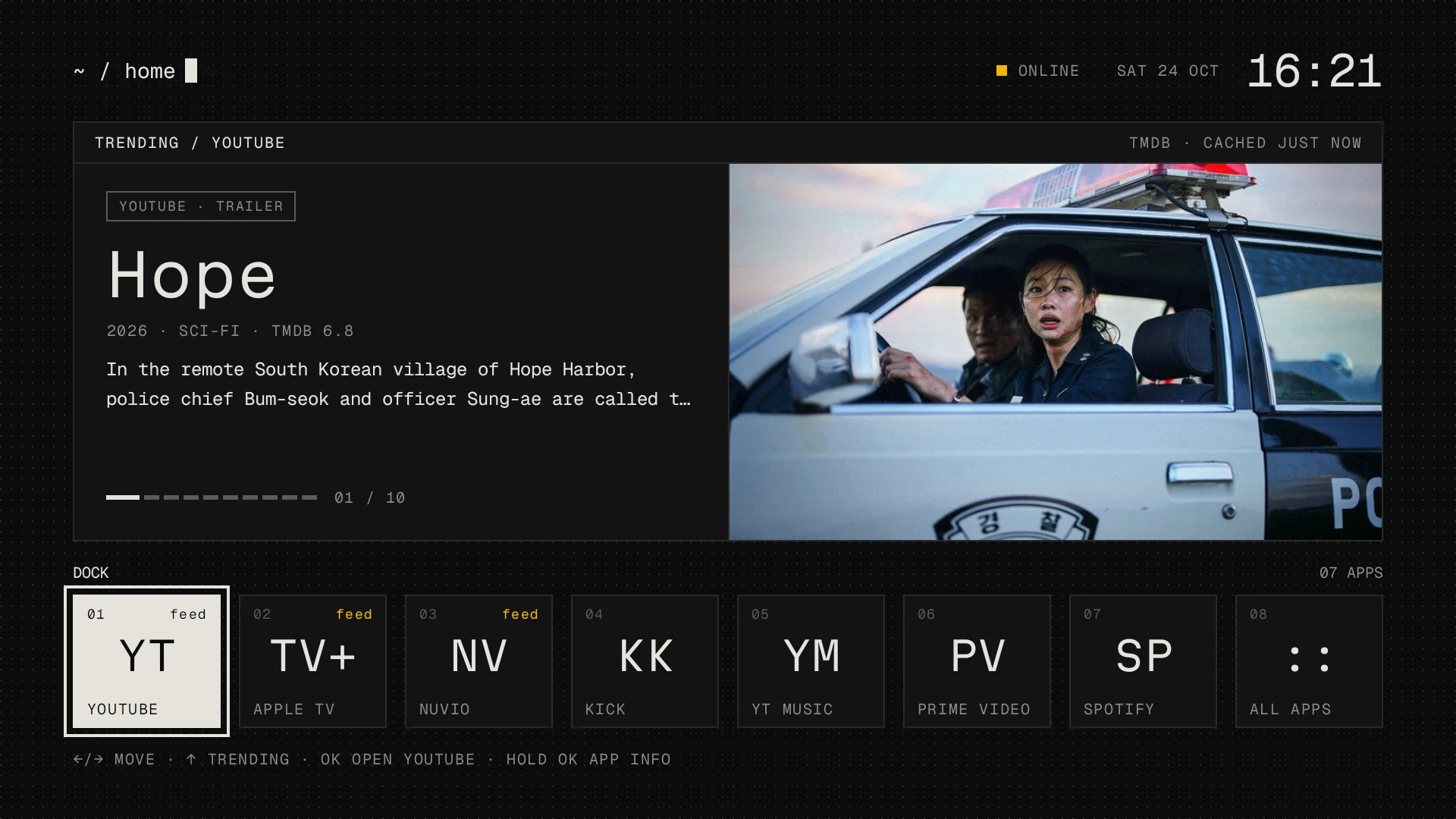
The dock has eight tiles: YouTube, Apple TV, Nuvio, Kick, YT Music, Prime Video, Spotify, and All apps. The card above it shows the feed of whichever tile has focus, and the mixed feed for the apps that have none. Up moves into the card. The tile you left keeps a thin bone border, so you can see where Down will take you. Holding OK on a tile opens its App info, and the remote's Home button always comes back to the first tile.
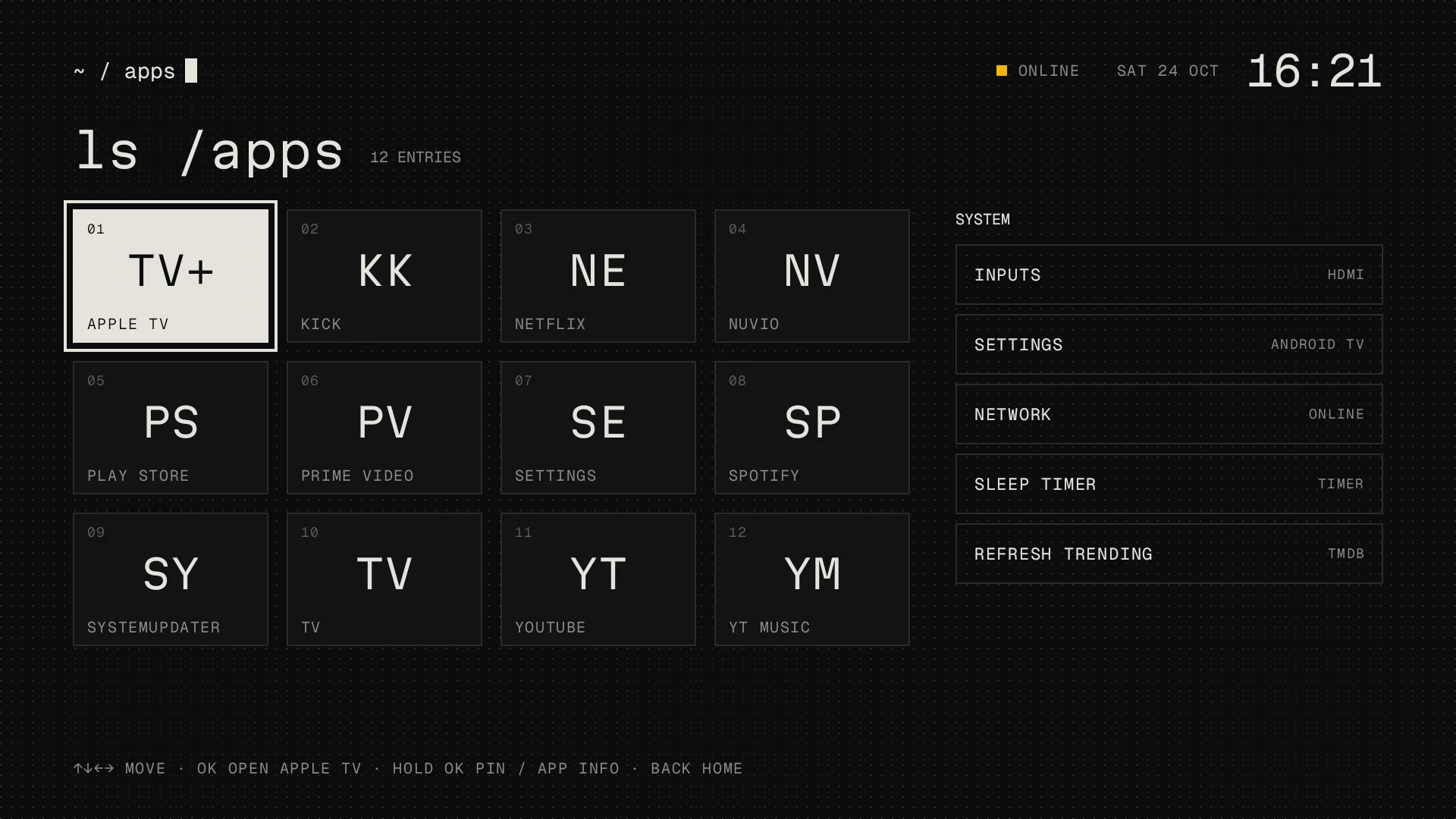
The last tile opens ls /apps: every installed app in a grid, and a short list for the things I actually go to Settings for, the HDMI inputs, Wi-Fi, the sleep timer, and a forced TMDB refresh.
Motion
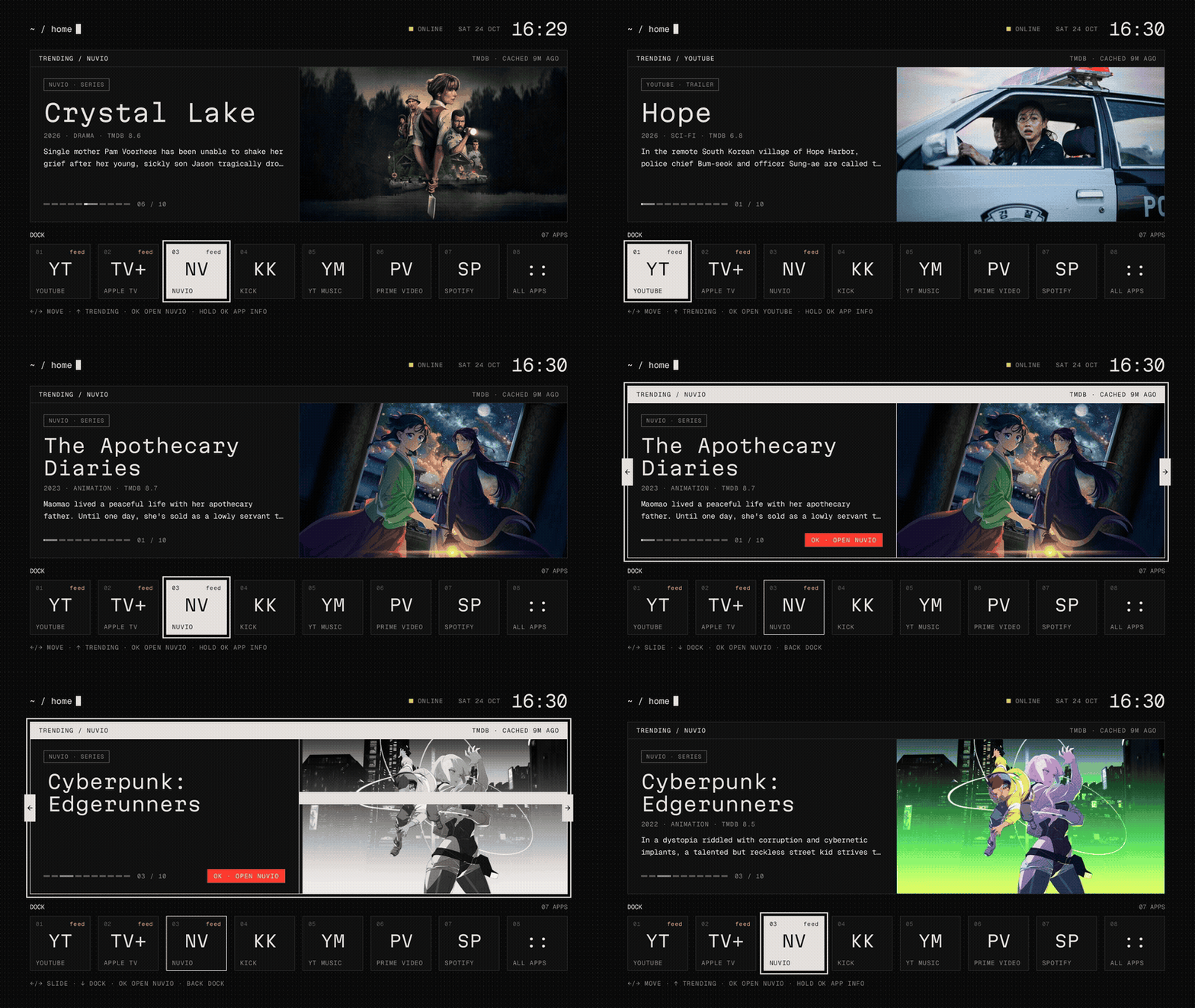
The first version had no motion at all. After I saw it on the TV I asked for some, and the second version uses the site's own motion rules: steps, never easing, nothing that scales, and nothing the remote has to wait for.
- The focus ring lands 8 dp out and closes to 4 dp one step later.
- A new slide comes in through a 240 ms grey glitch, and then its meta line types in.
- The current pager segment fills in sixteen steps over the eight seconds a slide stays, and stops while the card has focus.
- The cursor in the header blinks five times on every screen change, then stays solid.
- On the first start after the TV boots, the path and the clock type in.
Any key press ends whatever is running. With animations off in the TV's developer settings, it shows the final states only.
How it was built
Claude Code did the work over the network debug bridge, from my Mac. I wrote what I wanted in a project chat, and a session on the Mac built it, installed it on the TV, and sent me screenshots. The first screenshot of the new home came eleven minutes after the brief. I asked for "some sort of micro animations" at 16:24, and they were on the TV six minutes later.
Before the repo went public, it searched the whole history for my TMDB key, my keystore and the TV's address, found none of them, and moved the commits to my GitHub no-reply address.
What's left
- Living with it on the real remote. So far every key press came from the debug bridge, so how long "hold OK" should take, and how it feels when you hold an arrow down, is untested.
- Turning off network debugging on the TV once I'm done changing it. It's still on.
- The boot type-in. It only runs on the first start after a reboot, and I haven't rebooted the TV since.
The code is on GitHub at dopplerDistortion/terminal-home, MIT licensed like the launcher it comes from.
This product uses the TMDB API but is not endorsed or certified by TMDB.